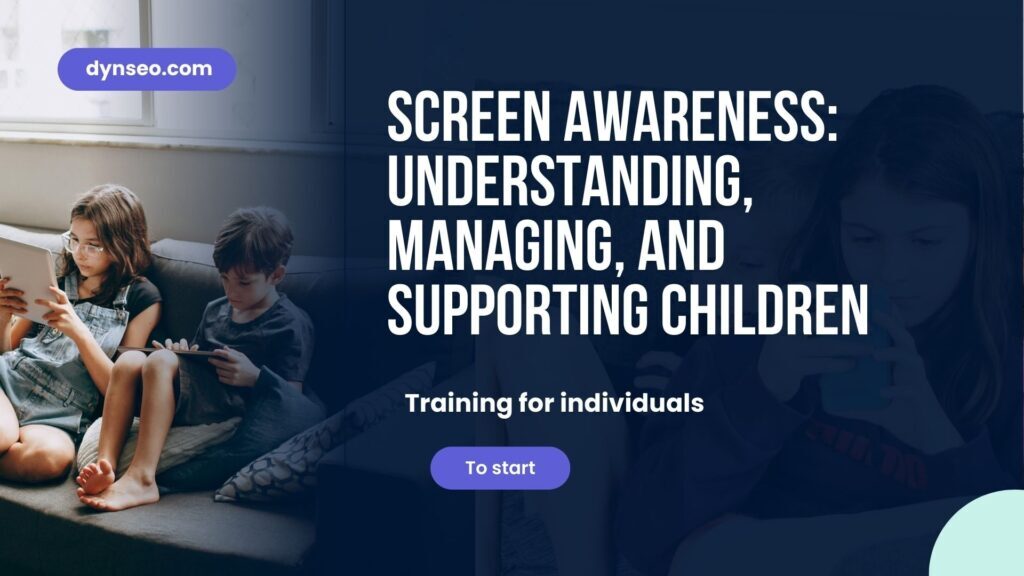
Raising awareness about screens in the classroom and at home:
understand, act, support
Comprehensive guide for parents, teachers, and health professionals — everything you need to know to raise awareness among children and teenagers for informed and balanced screen use
Dans cet article
La formation associée
Les ressources citées
 Timer Visuel
 Planificateur de Devoirs
 Tableau de motivation - Outil Formation DYNSEO
Screens are everywhere — in backpacks, in hands, in bedrooms, in classrooms. They have been part of our children's lives from a very young age. Banning them is neither realistic nor effective. The real answer is awareness: giving children, parents, and teachers the tools to understand the mechanisms of screens, identify problematic uses, and develop a healthy relationship with digital technology. This comprehensive guide provides the basics — and the DYNSEO training gives you the tools to act.
1. Raising awareness about screens: why it's different from banning
💡 Raising awareness vs banning: a fundamental difference
Pure banning generates frustration, rebellion, and unaccompanied clandestine use — the worst-case scenario. Raising awareness, on the other hand, develops a lasting skill: the ability to choose how, when, and how long to use screens consciously. An aware child makes informed choices even in the absence of rules imposed by an adult. This is the goal of any effective digital education.
1.1 What raising awareness about screens should cover
Understanding design mechanisms
Apps, games, and social networks are designed by entire teams whose job is to maximize screen time. Notifications, random rewards, infinite scrolling — these mechanisms are not accidents. Explaining them to children (from around 8-9 years old) gives them a critical perspective on the platforms they use.
Developing critical thinking about content
False information, retouched images, paid influencers, algorithmic bubbles — children and teenagers are immersed in content whose codes they do not yet master. Media education is a cornerstone of raising awareness about screens.
Developing self-regulation of screen time
Knowing how to recognize signs of excessive use in oneself (irritability, loss of sense of time, neglect of other activities) and having concrete strategies to stop or take a break — self-regulation skills that develop gradually.
Navigating safely online
Protection of personal data, unwanted contacts, cyberbullying, inappropriate content — online risks are real and underestimated by children. Awareness covers protective behaviors without creating paralyzing fear.
2. Adapting awareness to age
Preschool — the basics
- No screens in the morning before school
- No more than 30 min/day
- Always with an adult present
- Turn off the screen together, not alone
- Name what you're doing ("we're watching a cartoon")
Elementary — first rules
- Visual timer for sessions
- Co-constructed rules with the family
- Explain "why" for each rule
- First concepts of privacy
- Talk about what you see online
Middle School — critical thinking
- Addiction mechanisms explained
- Source verification of information
- Rules for social media
- Cyberbullying: recognize and act
- Homework planner + screen schedule
High School — guided autonomy
- Respect for others' privacy
- Lasting consequences of posts
- Managing digital identity
- Understanding business models
- Self-assessment of usage
Raising awareness about screens: understand, act, support
Online training at your own pace for parents, teachers, and education and health professionals. Master the neurobiological mechanisms of screens, learn pedagogical approaches suited to each age, and leave with concrete tools to act in the classroom as well as at home.
💻 100 % online
⏱️ At your own pace
👥 Parents, Teachers & Pros
3. In the classroom: integrating screen awareness into teaching practices
🏫 Create a space for discussion about screens
A weekly time of 15-20 minutes dedicated to sharing one's relationship with screens (what I watched, saw, felt) normalizes the conversation and reduces clandestine use. Students speak freely about their uses when the teacher adopts a non-judgmental listening posture rather than condemnation.
🏫 Educational activities for media decryption
Analyzing a targeted advertisement together, comparing two contradictory sources of information, identifying recommendation mechanisms in an algorithm — these activities develop critical thinking in an active and engaging way, much more effectively than lectures on the "dangers of the internet."
🏫 The visual timer in class
For computer or tablet work sessions, the DYNSEO visual timer materializes the time spent on screen and facilitates the transition to off-screen activities — reducing the resistance to stopping that characterizes screen use.
4. At home: concrete strategies for parents
✅ Effective approaches
- Co-constructed rules with the child
- Visual timer for all sessions
- Defined screen-free zones and times
- Consistent parental modeling
- Attractive alternative activities offered
- Regular conversations without judgment
❌ Counterproductive approaches
- Confiscating the phone as punishment
- Total ban without alternatives
- Unilateral rules not discussed
- Parental control without explanation
- Inconsistent screen use by parents
- Catastrophizing about all screens
The "parental mirror" rule: Children copy what they see, not what they are told. A parent who checks their phone at dinner, in bed, first thing in the morning — while prohibiting these uses for their child — creates cognitive dissonance that undermines the effectiveness of any rule. Awareness starts with example.
5. DYNSEO tools for balanced screen use
🧰 DYNSEO Tools — Time management and school organization
COCO Application
COCO offers active and engaging cognitive stimulation for 5-10 year-olds — a healthy alternative to passive screens.
CLINT Application
CLINT for teenagers and adults — maintaining cognitive functions in a framework of conscious digital use.
Cognitive tests
The DYNSEO cognitive tests objectively assess attention and concentration — indicators of the impact of screen time on cognitive functioning.
“Since I took the DYNSEO training on screens, I no longer talk about 'screen time' but about 'what we watch and why'. This change in framing has transformed everything in my class. Students now reflect on their uses instead of hiding their phones.”
— Middle school teacher, DYNSEO training participantRaising awareness about screens: a lifelong skill
Raising awareness about screens is not an "extra" topic in education — it is a basic skill for navigating a digital world. The DYNSEO training provides you with the framework, methods, and tools to make it a true educational lever, both in the classroom and at home.
Access the Qualiopi training →FAQ — Raising awareness about screens in class and at home
At what age can we talk about screen addiction in a child?
Disorders related to screen use can appear as early as 6-7 years for video games, and from 10-11 years for social media. The diagnosis of behavioral addiction requires a professional evaluation. However, concerning behaviors (intense irritability when stopping, neglecting other activities, lying about use) may justify a consultation as early as 8-9 years. Early awareness — well before these ages — is the best prevention.
Do screens systematically harm children's cognitive development?
No — the impact of screens on cognitive development depends on the type of content, duration, age, and context of use. Quality interactive educational content (like COCO DYNSEO) can stimulate cognitive development. What is documented as harmful: prolonged passive use (looped videos without interaction) before age 3; lack of sleep caused by screens in the evening; and the replacement of physical and social activities with screens at all ages.
How to approach screen awareness with a resistant child?
Resistance is normal when awareness is perceived as an attack or a threat. Effective approaches: start from the child's curiosity ("do you know why you are getting exactly these videos on TikTok?") rather than warnings; value their digital skills while introducing critical thinking; and do decoding activities together (analyzing an advertisement, comparing two sources) rather than theoretical lessons.
Are parental controls effective for regulating screens?
Parental controls are complementary tools, not complete solutions. They can reduce access to certain inappropriate content and help respect time limits. But they do not develop the child's self-regulation — which is the long-term goal. And they can create a sense of surveillance that harms trust. Ideally: parental controls + explained rules + open conversations. Never parental controls alone, in silence.
Can the DYNSEO training on screens be integrated into a school program?
The DYNSEO training "Raising awareness about screens" is Qualiopi certified and can be covered under the training plan of educational institutions. It is suitable for teachers, school counselors, school nurses, and management teams who wish to structure a coherent approach to screen awareness in their institution. The content can be used as a basis for workshops with students or parent-teacher meetings.
Did this content help you? Support DYNSEO 💙
We are a small team of 14 people based in Paris. For 13 years, we have been creating free content to help families, speech therapists, care homes and healthcare professionals.
Your feedback is the only way we know if our work is useful. A Google review helps us reach other families, caregivers and therapists who need it.
One action, 30 seconds: leave us a Google review ⭐⭐⭐⭐⭐. It costs nothing, and it changes everything for us.